
Dribl Web
How to create a rate card for referees (Web)
Referee Admins
This article will demonstrate how to add a rate card.
Note: This is an important step, you will not be able to allocate referees without the rate cards.
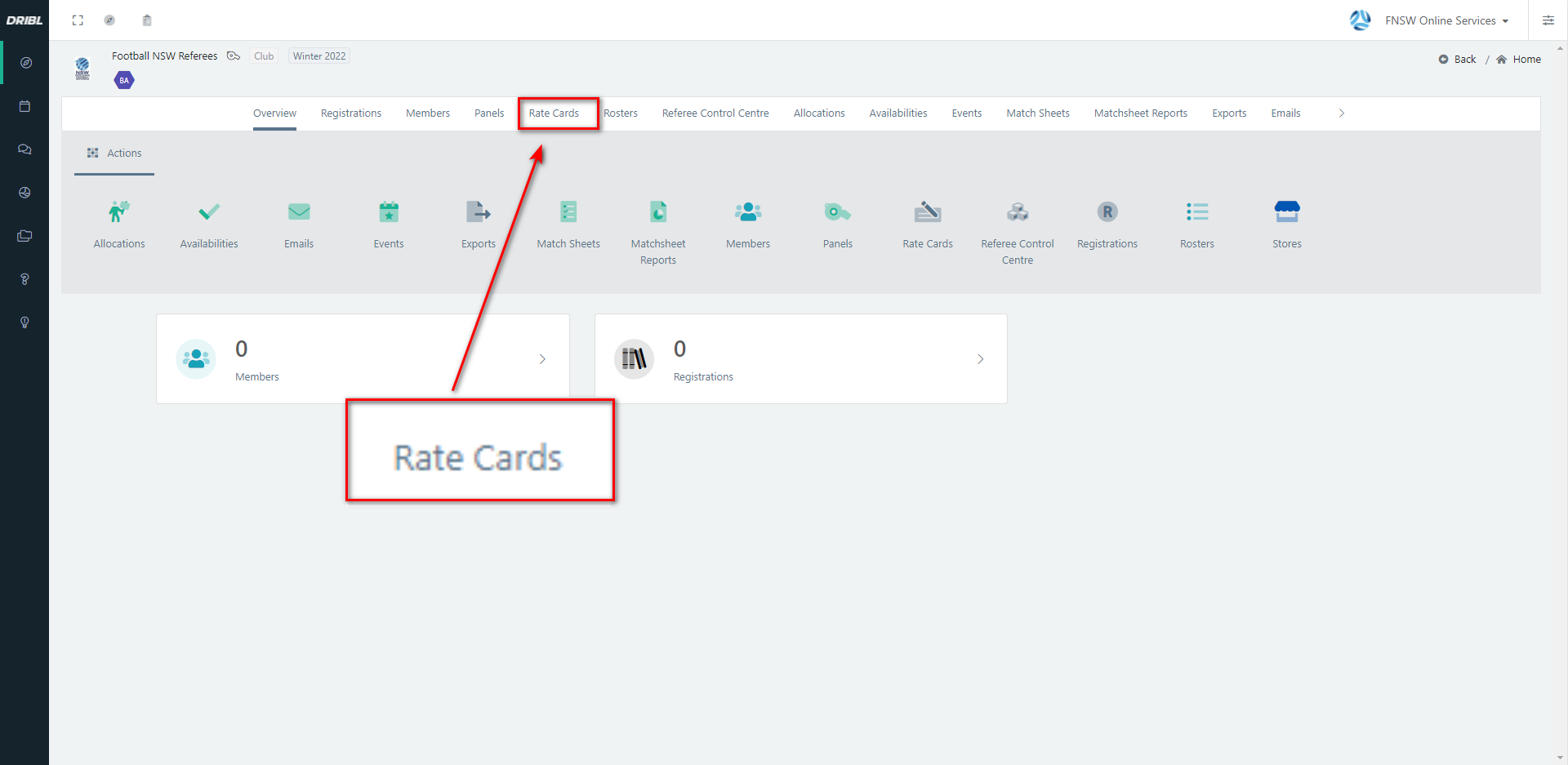
- From the relevant referee branch, select Rate Cards from the white menu bar at the top.
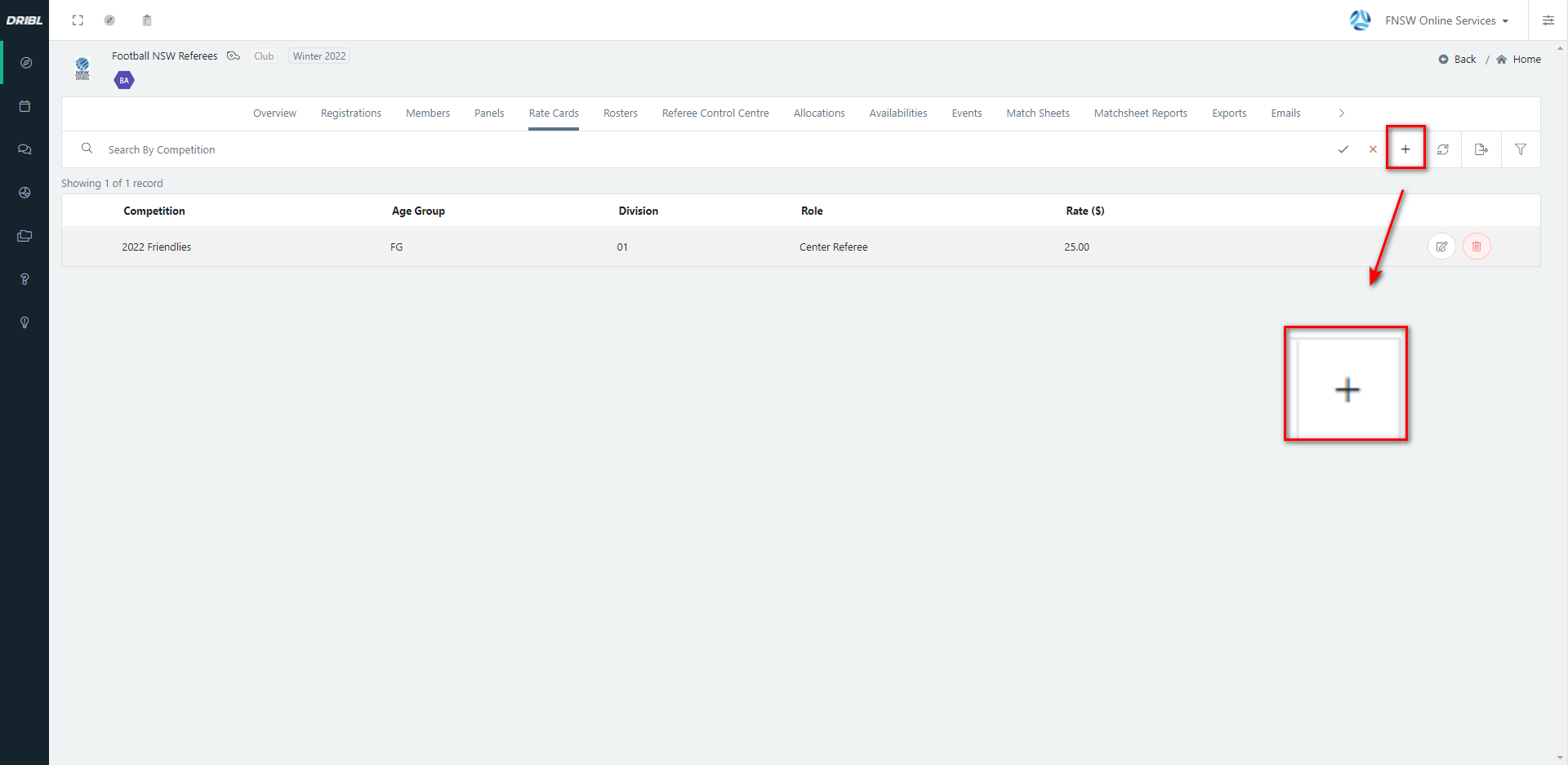
2. Click the + icon in the top right hand corner to add a rate card.
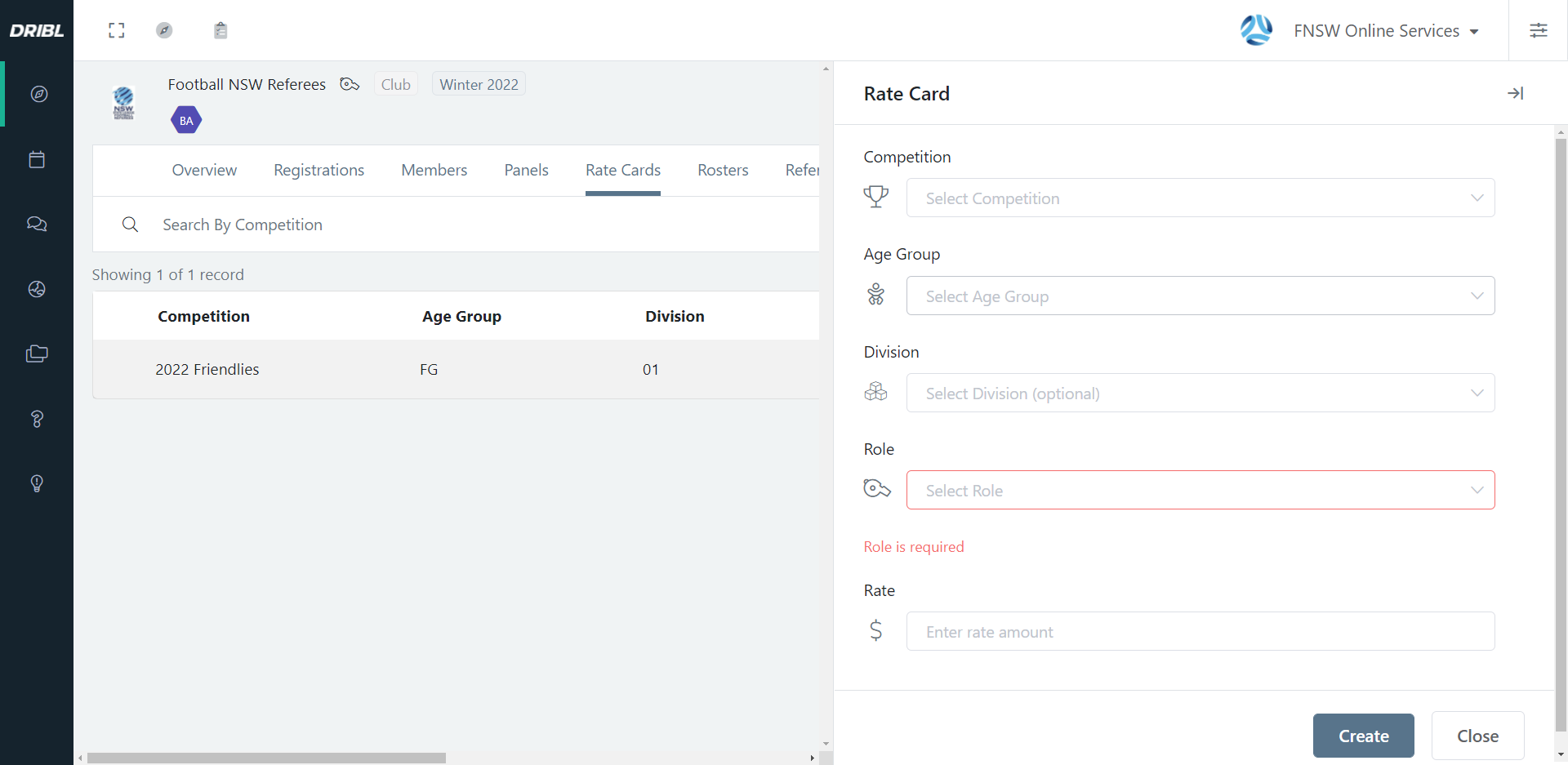
3. This will open up a side menu
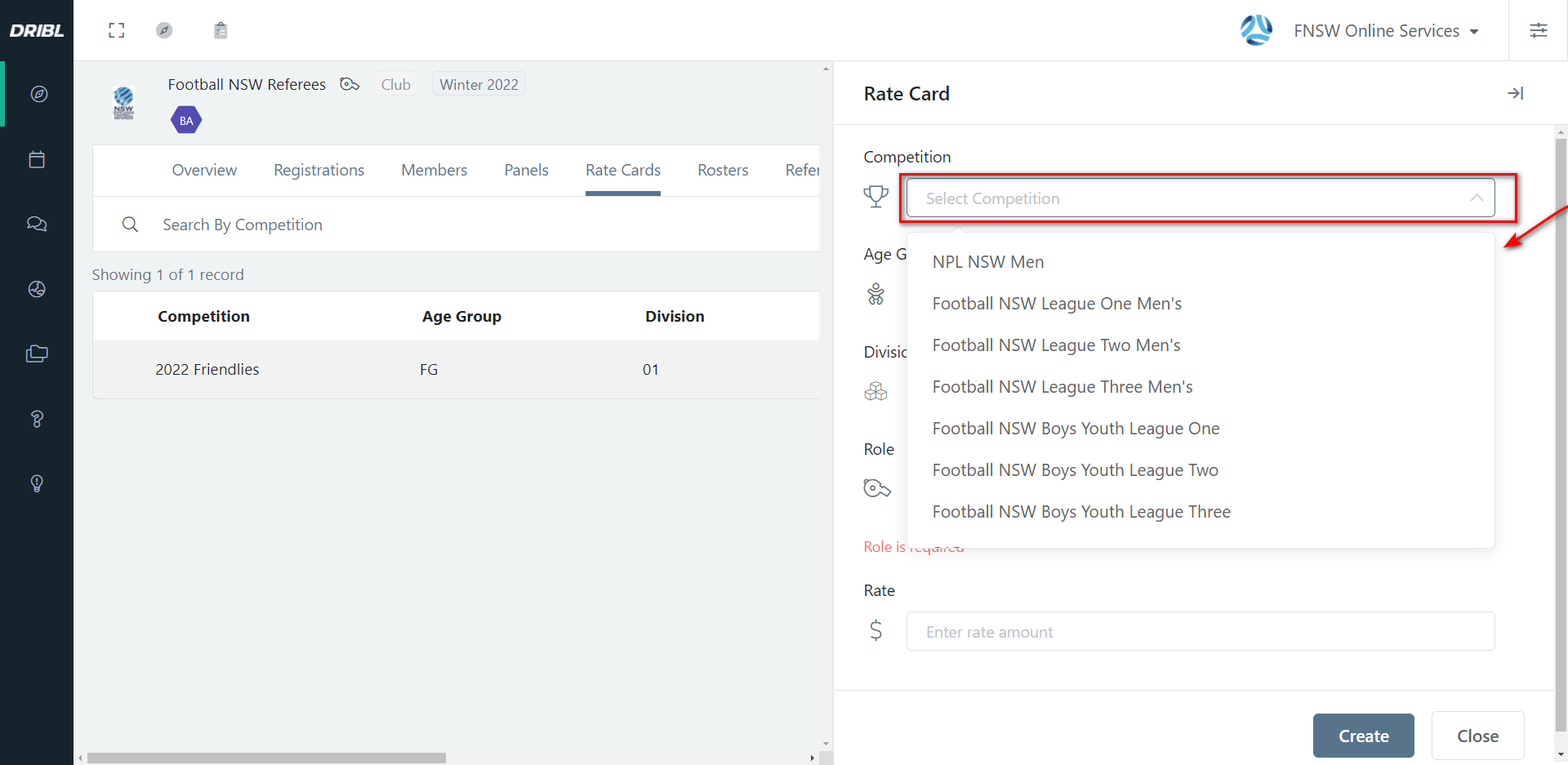
4. Select the competition.
5. Select age group.
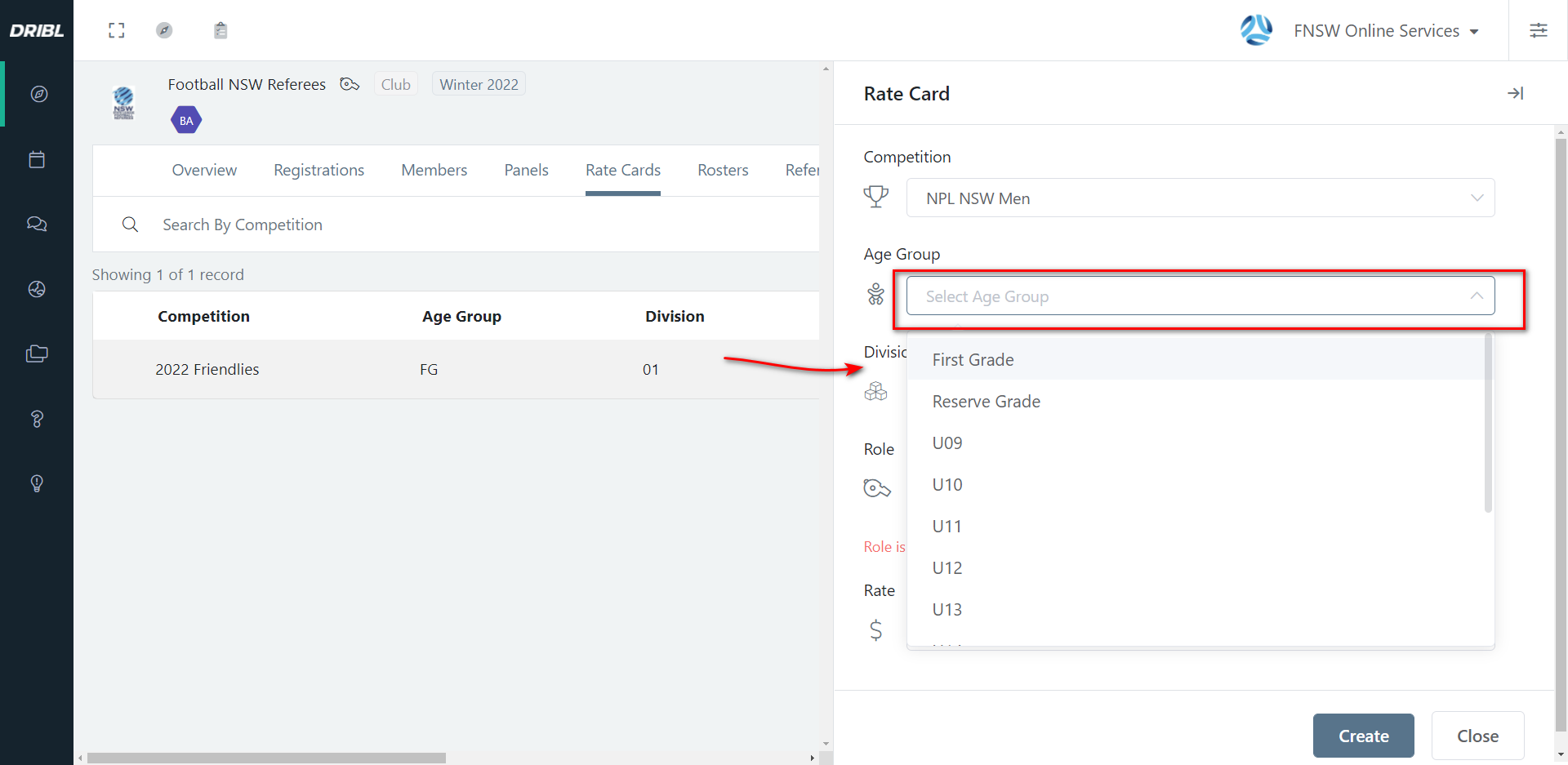
6. Select Division
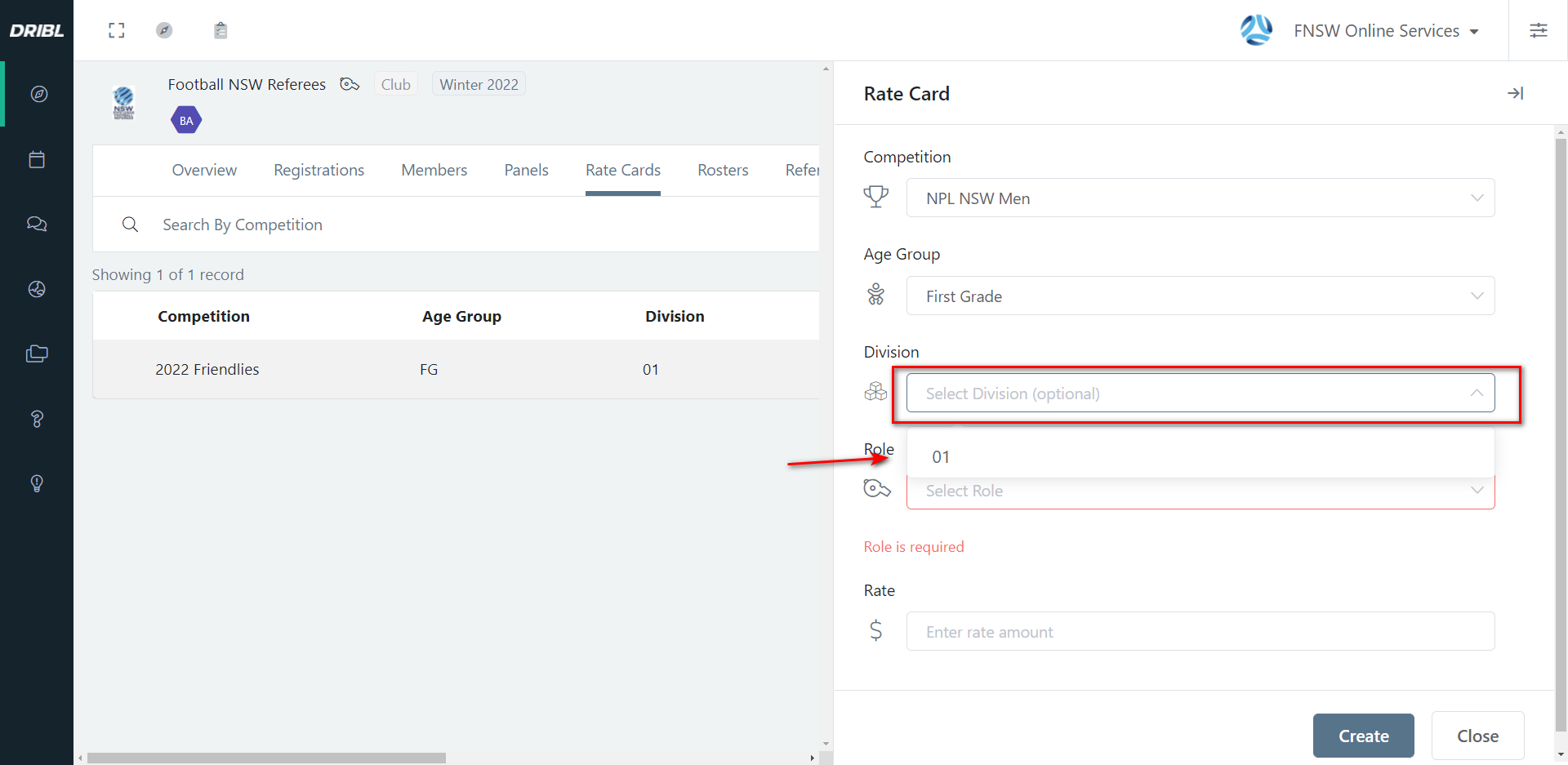
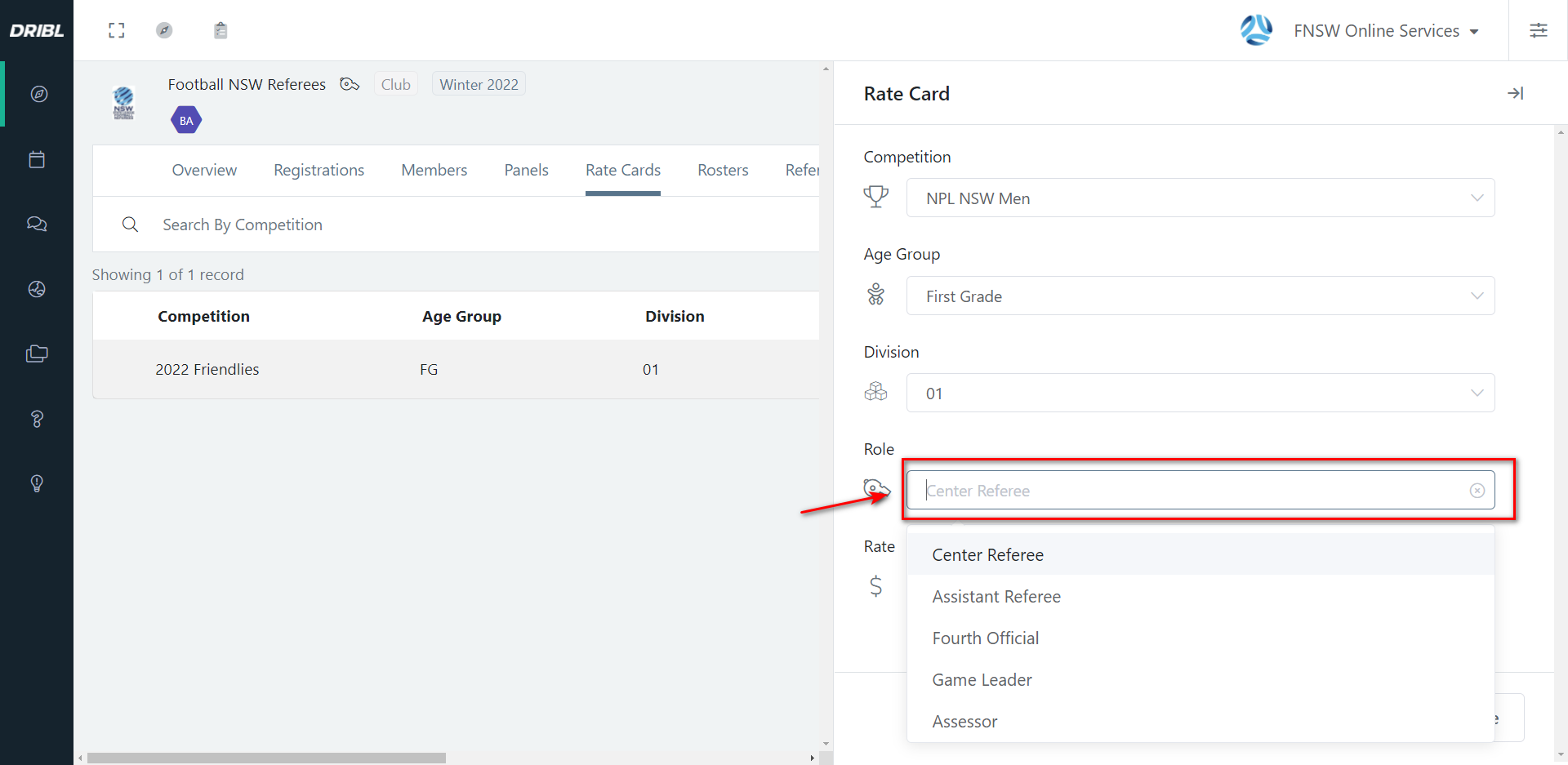
6. Select role (Center ref/AR/ Fourth Official/Assessor)
7. Add in a fee (1) and hit create (2) this will now allow you to map referees to a roster. 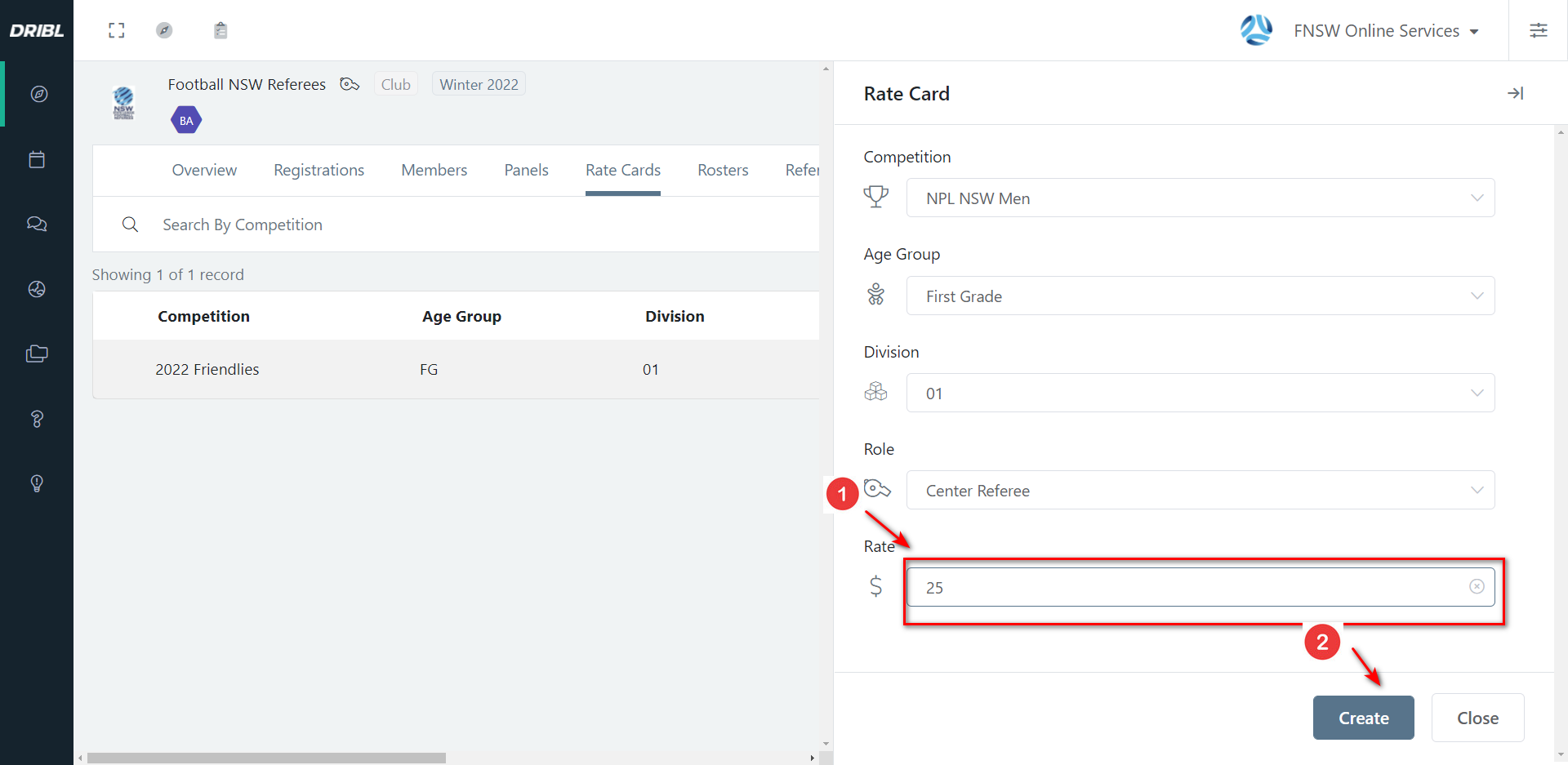
For more on rostering referees to matches. click this link:
How to roster match officials to a game
Need help?
Can't find the answer to your question? Get in touch with our support team.
Request support