
Play Football
How to Bulk Roll-Over Registration Types
Club Administrators
Step 1 – Select ‘Registrations’ – > ‘Registration Types’ from the side navigation menu.
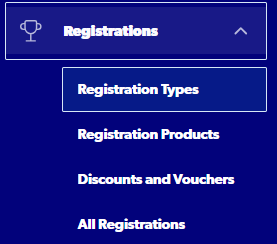
Step 2 – Select ‘Bulk Roll-Over’

Step 3 – Select ‘2025’ as the from season and 2026 as the To season
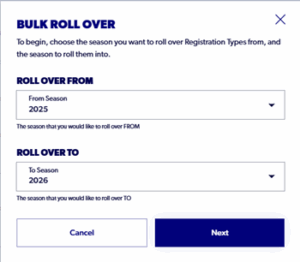
Step 4. Select the Registration Types you want to rollover and select ‘Submit’. You can roll over more than one Registration type at a time.
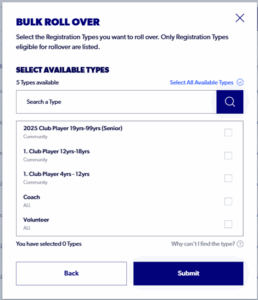
Step 5. When the registration type has been rolled over, it will appear as a Draft under the 2026 season. You will need to filter the season to 2026 to be able to view the registration type. Only once the Registration type is in the ‘Approved’ status will clubs be able to roll over their registration products.
Need help?
Can't find the answer to your question? Get in touch with our support team.
Request support