
How to Create a Registration Product for NPL Men’s (U20, 1st Men’s)
The following article will detail how to create a registration product for:
o NPLM U20s 2026
o NPLM 1st Grade Amateur 2026
o NPLM Professional 2026
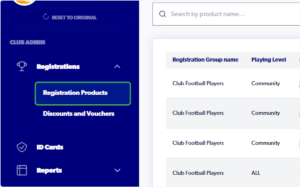
1. Click on ‘Registrations’ and select Registration Products
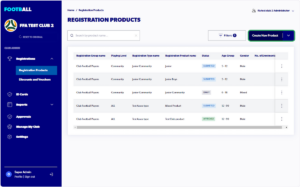
2. Click “Create New Product”
3. Select “CLUB FOOTBALL PLAYERS”
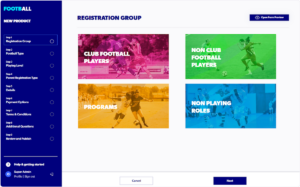
4. Select Football Type – “CLUB FOOTBALL”

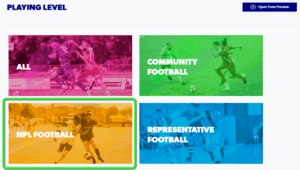
5. Select Playing Level – “NPL FOOTBALL”
6. Select Registration Season – 2026

7. Select the applicable Parent Registration Type:
NPLM U20s 2026 – 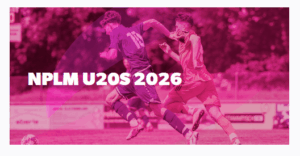
NPLM 1st Grade Amateur 2026 – 
NPLM Professional 2026 – 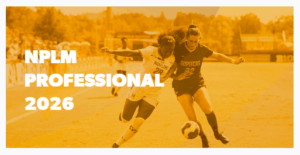
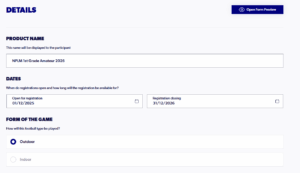
8. Complete Details section
Dates, Form of the Game, Players, Registration Age Limits, and Gender will be auto-filled by the registration type.
The Product Name will also be auto filled.
9. Select “Payment Option” to offer to participants

10. Enter ‘Club Fee’ (This fee is the base fee and will be added to the Governing Body fees listed above)

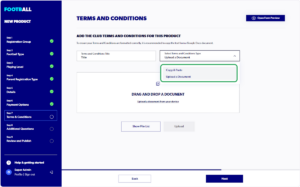
11. Click on Select Terms and Conditions Type and Upload a Document (This will need to be a PDF)
Ensure you have added a Terms and Conditions Title and click Upload
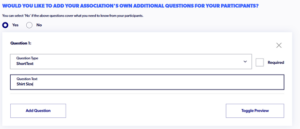
12. Add any Additional Questions (optional)
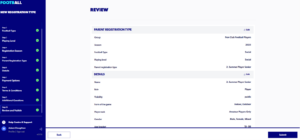
13. Review your selections and click Submit
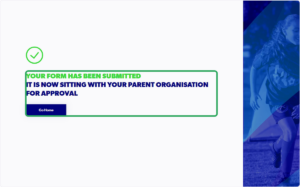
Your product will now be sent to FNSW for approval:
Video demonstration of the Product Creation process: https://www.loom.com/share/e86e3fe6245c4eb29390ad6a4852c3b8?sid=a22e60ec-1e2a-47a7-94ce-e391c6960fbf
Need help?
Can't find the answer to your question? Get in touch with our support team.
Request support