
How to Register as a Coach
Step 1
Head to the PlayFootball website
https://www.playfootball.com.au/
Step 2
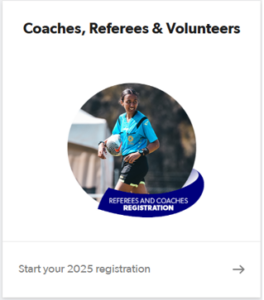
Select ‘Coaches, Referees & Volunteers’
Step 3
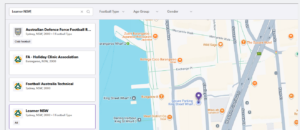
Select the club you want to register for. In this example we will register to ‘Learner NSW’. Please note that you need to have an ‘active’ coach registration to be able to access the etrainu system.
Step 4
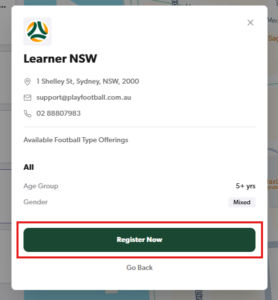
Select ‘Register Now’
Step 5
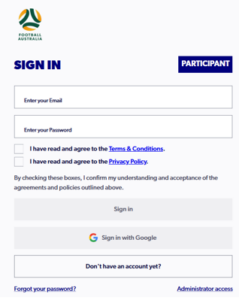
Sign In to your PlayFootball Account. If you don’t have an account you will need to create an account.
Step 5
Select the Registration Product by clicking on the ‘Details’ button.

Step 6
Select ‘Register’

Step 7
Select who you are registering for

Step 8
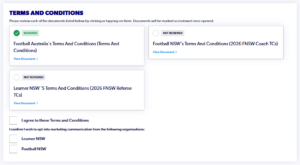
You will be required to review the Terms and Conditions of each Organisation as well as check ‘I agree to these Terms and Conditions’.
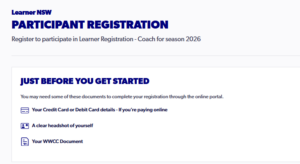
Step 9 (Just Before You Get Started)
Have your WWCC details and a headshot of yourself handy before you start the registration. Select ‘Start’ on the Participant Registration page.
Step 10 (Participant Details)
Complete the participant details page and click next.
Step 11 (Contact Details)
- Complete the Contact Details step and select ‘Save Participant’
- It is a mandatory requirement to have at least one emergency contact.
Step 12 (Profile Phot0)
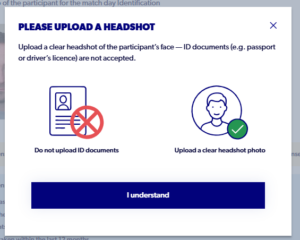
- You will be required to upload a photo if there isn’t one already linked to your profile.
- Please don’t upload any ID documents
Step 13 (Regulation Details)
Regulation Details – You will be asked if you have a Working With Children Check (WWCC).
WWCC Exemption
If you don’t have a WWCC and are requesting an exemption, select ‘No, I don’t’

- Tick the check box ‘Apply exemption from document upload‘.
Select the applicable Exemption Type:
- ‘Age Exemption’ – Applies to Under 18’s Only
- ‘Team Official Coaching or Managing a Team Comprising Only of Players Aged 18 Years or Over’
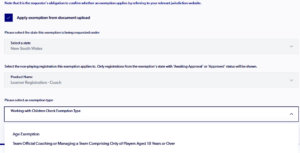
If you are not eligible for an exemption, you can provide your WWCC details by select ‘Yes, I do’.

Step 13
Complete the Additional Questions Page
Step 15
Review the registration information & select ‘Confirm and Pay’

Step 16
If you are registering to the ‘Learn NSW’ registration product the fee is free. Click on ‘Submit’ to complete the registration.
Need help?
Can't find the answer to your question? Get in touch with our support team.
Request support