
How to provide Matchsheet Access to a Coach/Manager
There are a few steps Club Administrators can undertake to assist coaches/managers who cannot see Match Sheets in their Dribl account.
1. Navigate to Members in the Dribl menu.
2. Locate the Coach/Manager’s email address. You can access this via ‘Edit Member’


3. Select ‘Member Account’

4. If there is no email saved in this section, then the Coach/Manager is logging into an old profile or a profile that does not have access. This is likely due to the Coach/Manager registering on a new FFA number.
Click Add Account and Email as the type.
Input their email address and click Save.
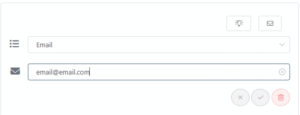
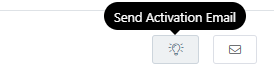
5. If the account saves, click the Lightbulb icon to send the Coach/Manager an activation email
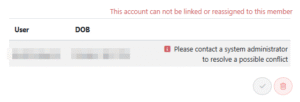
If their account does not save and you receive the below error, they will need to be merged with their existing profile. Please email FNSW Online Support at onlinesupport@footballnsw.com.au to request a merge for a coach/manager
Need help?
Can't find the answer to your question? Get in touch with our support team.
Request support